

Go to New Games


FNF vs Cheeky v3
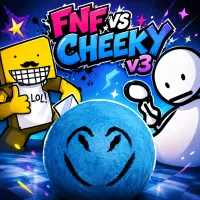
FNF vs Cheeky v3
Advertisement

Virtuoso: Virtual Piano
FNF: feat. Bad Bunny PICO MIX
Wacky Walk
FNF Entity vs Solazar, Agoti, Nikusa & Aldryx
Block Runner: Subway Escape

FNF: Miku Sing Don’t Forget to Monitor (Best Friend Remix)
Backrooms Craft
FNF Serious But Everyone Sings It
Ant Flow

FNF vs Impostor Legacy

Endless Jump
FNF Mobile Mods

FNF Lagtrain

Verity Block Survival

FNF: Petrifying Plumbers
Catdoku
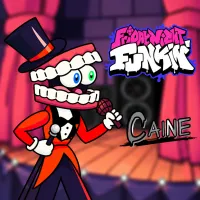
Friday Night Funkin VS Caine

Unbox the Room
FNF vs Cheeky v3 is a Friday Night Funkin' mod that expands the original Cheeky experience into a four-week campaign packed with crossover characters. From rap battles in rocky landscapes to encounters with Bob, Ron, and hidden bosses, version 3 turns an underrated mod into one of the strangest adventures in the FNF community.
About FNF vs Cheeky v3
FNF vs Cheeky v3 introduces far more than a simple Boyfriend versus Cheeky matchup. Each week builds upon the previous one, gradually introducing new opponents, songs, and unexpected twists.
Who Is Cheeky?
Cheeky, also known as Szemtelen Manó, originated as a bizarre Roblox meme character before becoming an FNF opponent. Despite appearing as a simple gray sphere, Cheeky quickly gained popularity thanks to his unusual animations and crossover potential. Version 3 embraces that identity by placing him alongside Bob, Ron, and other recognizable figures from the wider FNF community, creating a mod that feels both humorous and unpredictable from beginning to end.
From Rocky Beats To Bedrock Battles
The adventure begins with Boyfriend meeting Cheeky, a mysterious stone-like character inspired by the Roblox game Veszteség. Week 1 features "Rocky Beats," "ToughStone," and "Hard 2 Break," establishing Cheeky's playful personality and signature style. Week 2 continues with "Salami Teachings," "Devils Jello," and "Bedrock," increasing the chart difficulty while adding more visual effects and gameplay surprises. Players must complete Week 2 in Story Mode to unlock the content that follows.
Mechanics That Define Version 3
Many players remember FNF vs Cheeky v3 for its aggressive gameplay mechanics as much as its soundtrack.
- Screen Effects And Health Mechanics
- Screen shake during intense sections.
- Moving and rotating strikelines.
- Health drain mechanics in specific songs.
- Fake Roblox advertisements covering the screen.
- Static effects that worsen after missed notes.
- Screen-flipping mechanics in "Bad Omen."
- Exclusive Game Over screens for crossover characters.
Basic Controls
- Arrow Keys / WASD – Hit notes.
- Enter – Confirm selections.
- Esc – Pause or return to menus.