

Go to New Games


Sprunkybox
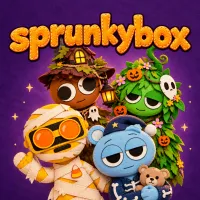
Sprunkybox
Advertisement
FNF Skeleton Bros Vs Chara, Sans & Papyrus

Music Ball Hop
FNF Changed Mod

Voice Chat Online

FNF: Pluto’s Reprisal Part 1: Planets

Granny Vs Verity
FNF vs Slendytubbies Funkin Rap and Death

Granny Horror 3

Sonic.EXE: Mania!

Meme Songs-Brainrot, Brawl,99 Nights,Sprunki, FNAF
FNF Funkin' with Verity

Block Blast
FNF Bikini Horrors V3
FNF Verity MAXMOD

FNF: Zipperbomb
Bubble Game 3
FNF BERGABASH

FNF VS Fliqpy – Post Traumatic
Rating:
10 (1 votes)
Release date:
01 Nov 2026
Technology:
HTML5
Platform:
Browser (desktop, tablet, mobile)
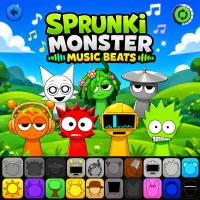
Sprunkybox lets you build a band of felt monsters and turn their quirky sounds into your own Halloween soundtrack. Each character adds a different beat, melody, voice, or spooky effect, giving you plenty of ways to experiment with music. With 20 unique characters but only seven stage slots, the fun comes from discovering unexpected combinations. Create playful tunes, eerie rhythms, or unusual mixes as you explore hidden songs and find your own sound.
Build Your Monster Soundtrack
Mix Beats With Distinctive Characters
In Sprunkybox, drag character icons onto the stage to hear their sounds join the performance. Each monster contributes its own audio and animation, letting you layer basslines, vocals, percussion, and eerie effects into one track. You can also use the Mute and Solo controls to adjust individual parts. Remove a character whenever you want to try a new sound, then experiment with another lineup until the mix feels right.
Explore the Halloween Atmosphere
The Light Mode stage creates a cozy Halloween setting with colorful characters and a playful atmosphere. For a darker experience, place the mysterious Black character on the stage to trigger Dark Mode. The visuals become more ominous, while familiar characters introduce creepier sounds that give your composition a different mood.
Discover Hidden Music
Unlock Secret Song Combinations
Creating music is only part of the challenge. Sprunkybox also hides 19 secret songs that reward players for finding specific character combinations. Watch for musical badges and hints as you experiment with different groups, then check the Music Book to track your discoveries.
Filling all seven stage slots with the right combination can reveal a special legendary song, giving you another reason to test unusual arrangements instead of sticking with the same lineup.
Learn the Controls
The controls are simple, making it easy to focus on sound and experimentation:
- Mouse or touch: Drag and drop characters onto the stage.
- Mute / Solo / Remove: Adjust individual characters in the mix.
- Spacebar: Restart the current mix.
- F: Toggle fullscreen.
- Esc: Close an open panel.